

Dependencies
Leverage existing solutions. The software development ecosystem offers a wealth of powerful libraries that can significantly enhance your development process and productivity.
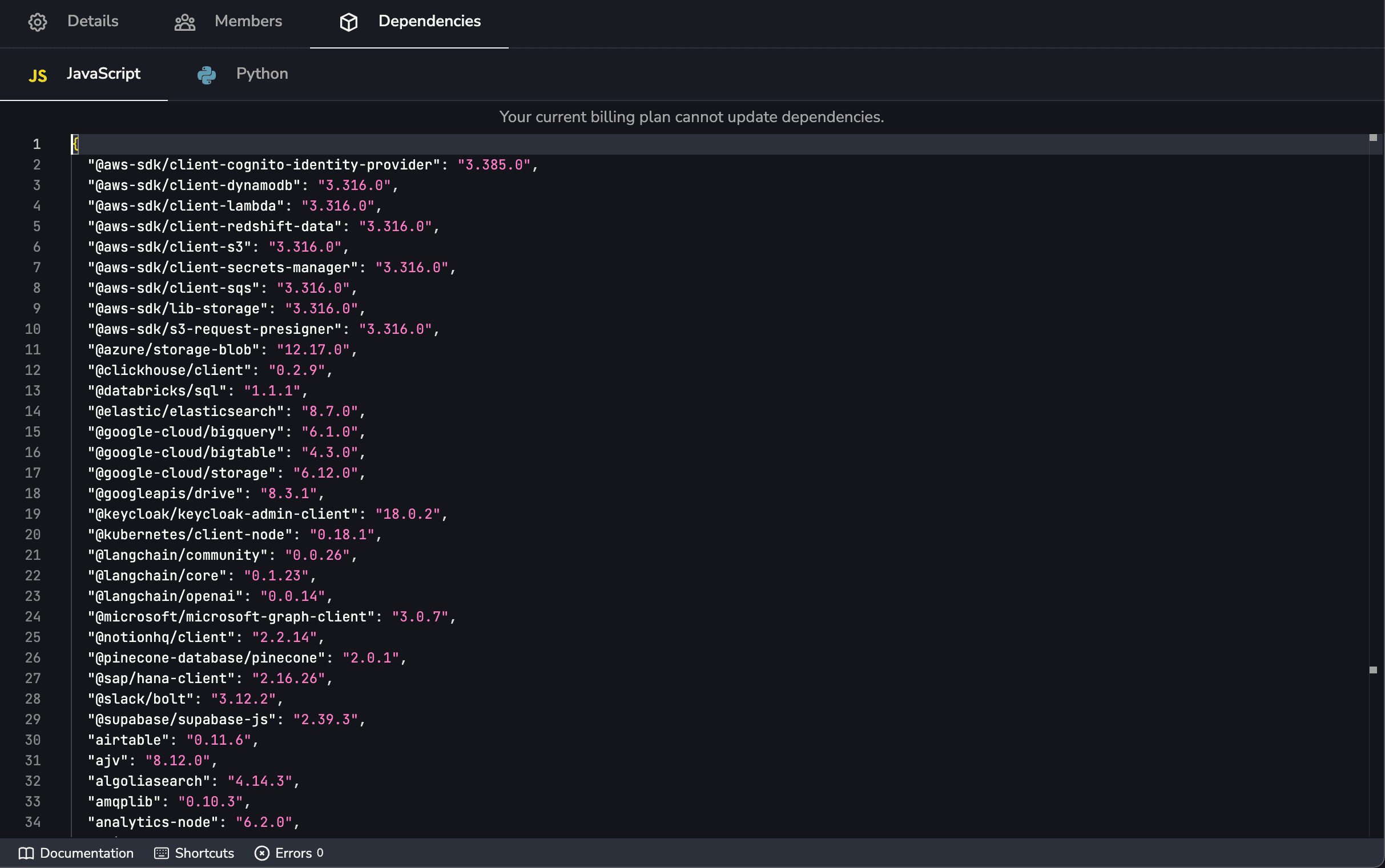
To incorporate these libraries into your Factorial Code processes, simply specify the package name and version in the dedicated editor accessible through your team settings. This streamlined approach allows you to effortlessly integrate and utilize external dependencies:
We allow to use any npmjs packages, that must be provided with the package.json format.
We allow to use any Pypi packages, that must be provided with the requirements.txt format.
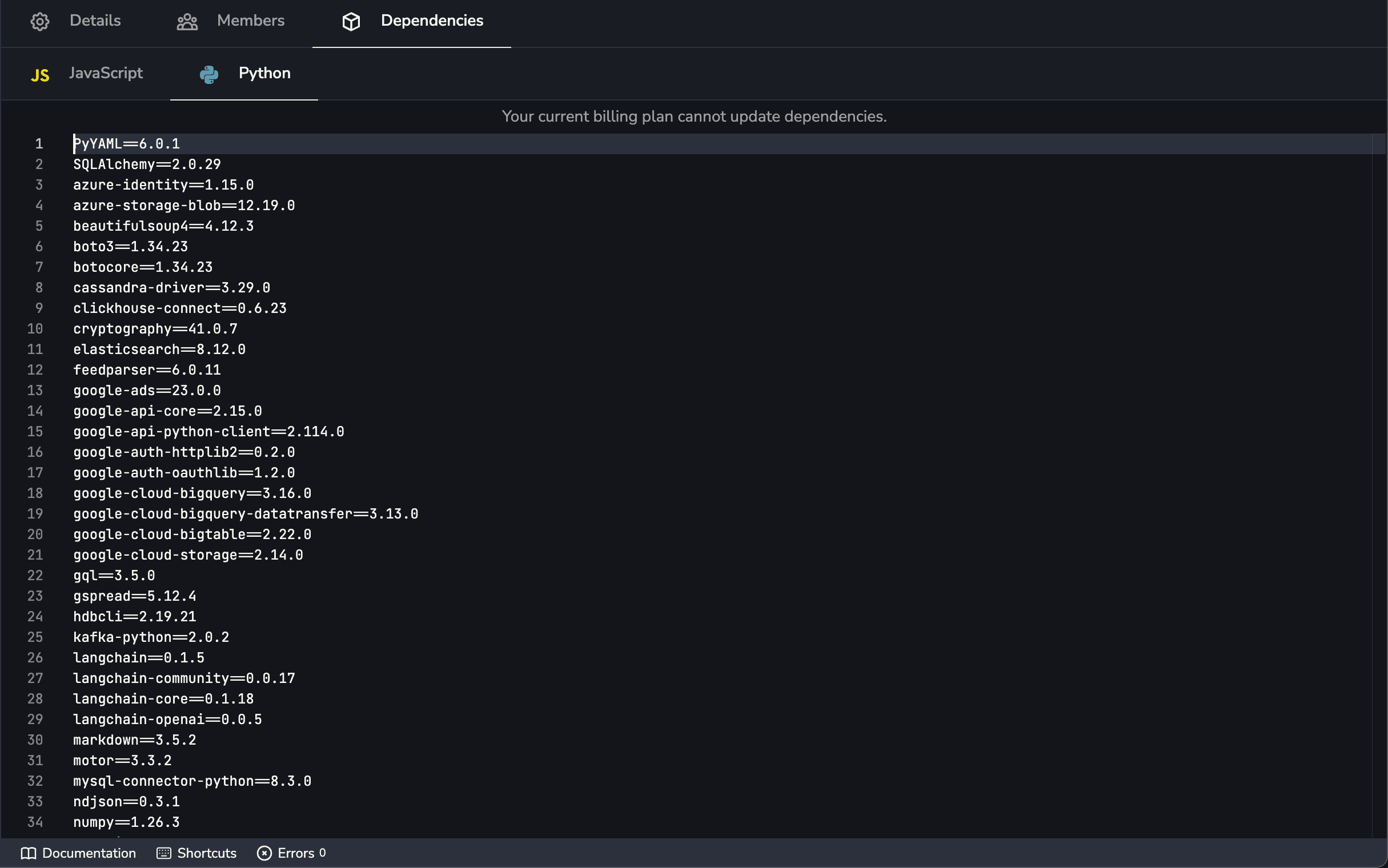
When you perform a dependency change, Factorial Code proceeds to install them, but process executions will use the previous version until we ensure that the installation has been successfully completed.
Inherited dependencies
Section titled “Inherited dependencies”A workspace with parent workspaces also gets their dependencies. The two lists are merged per package name, and the nearest declaration wins: your own workspace first, then each parent in the order they are configured.
The dependencies editor shows the inherited ones beside your own, each labelled with the workspace it comes from. That list is read-only — a parent’s dependency is the parent’s to change.
To override an inherited dependency, declare the same package name in your own package.json or
requirements.txt. Your specifier is what gets installed, and the editor marks the parent’s entry as
overridden so you can see what you displaced. Two versions of one package cannot be installed side by
side, which is why an override replaces the parent’s rather than adding to it.
A few things worth knowing:
- Inheritance is not transitive. Only direct parents contribute, matching how processes, modules, variables and locales behave.
- Only installed dependencies are inherited. A change a parent has saved but not yet installed does not reach its children.
- A parent’s change applies on your next execution. There is nothing to install in the child: the first execution after the parent’s change installs the new set once, then it is cached.
- Unless you pinned that parent. If the parent link carries a version pin, you get the packages that version was published with, and the parent’s later edits do not reach you until the pin moves.
- Your plan’s dependency limit counts only the packages your workspace declares itself.
Versioning dependencies
Section titled “Versioning dependencies”Dependencies are versioned like processes, modules and translations: publishing a version under a tag snapshots the packages your workspace declares, and an execution pinned to that tag installs the snapshot rather than whatever the editor says today. Without it a release ships frozen code against floating packages, and rolling it back would not roll the packages back.
A dependency version is published by creating a workspace version: every language gets one along with the processes, modules and locales, so a single tag identifies the whole release. Publishing records the packages currently installed; an edit you have saved but not installed yet is not part of it.
The Dependencies page of the sidebar shows the manifest of the version selected in the sidebar version selector, read-only — one list per language, since a manifest is per language. Deleting a workspace version deletes its dependency versions with it.
How a pinned execution resolves its packages
Section titled “How a pinned execution resolves its packages”A snapshot holds only the packages your workspace declares. When the execution is dispatched, each workspace in the inheritance chain is resolved at the same tag and the results are merged per package name exactly as they are today — so a child still overrides a parent:
- The workspace has a snapshot at that tag → its packages come from the snapshot.
- It is a parent you pinned and has no snapshot at that tag → the snapshot at the pin is used. What the execution asked for wins; the pin is what the parent means by default.
- Neither → its current packages are used. Pinning is per workspace, so a parent that never cut the tag keeps contributing what it installs now rather than dropping out.
The same fallback applies to an execution pinned to a tag that was never published, or whose dependency version was deleted: it installs the current set rather than failing.
Aliases
Section titled “Aliases”A dependency version can carry aliases
too, and an execution pinned to an alias name resolves through it. Since a workspace alias is
propagated to the dependency manifests as well, moving production from v2.0.0 back to v1.0.0
rolls the whole release’s packages back with its code — one alias change, no reinstall to configure.
Deleting a version
Section titled “Deleting a version”Deleting a dependency version also deletes the aliases pointing at it. Executions pinned to the deleted tag fall back to the current packages, so nothing stops running — it just stops being reproducible.
Dependencies scope
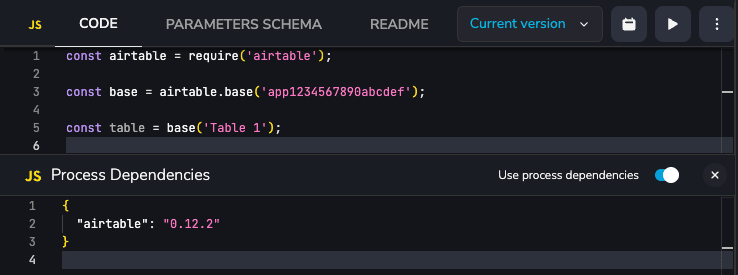
Section titled “Dependencies scope”Dependencies will be global for your team by default, but if you need to use process scoped dependencies, you may do that enabling the flag under process dependencies settings.
Dependencies guessing
Section titled “Dependencies guessing”Factorial Code tries to guess the dependencies you use in your process and modules. You’ll see an alert if we detect that you’re using a dependency that is not installed on your team:
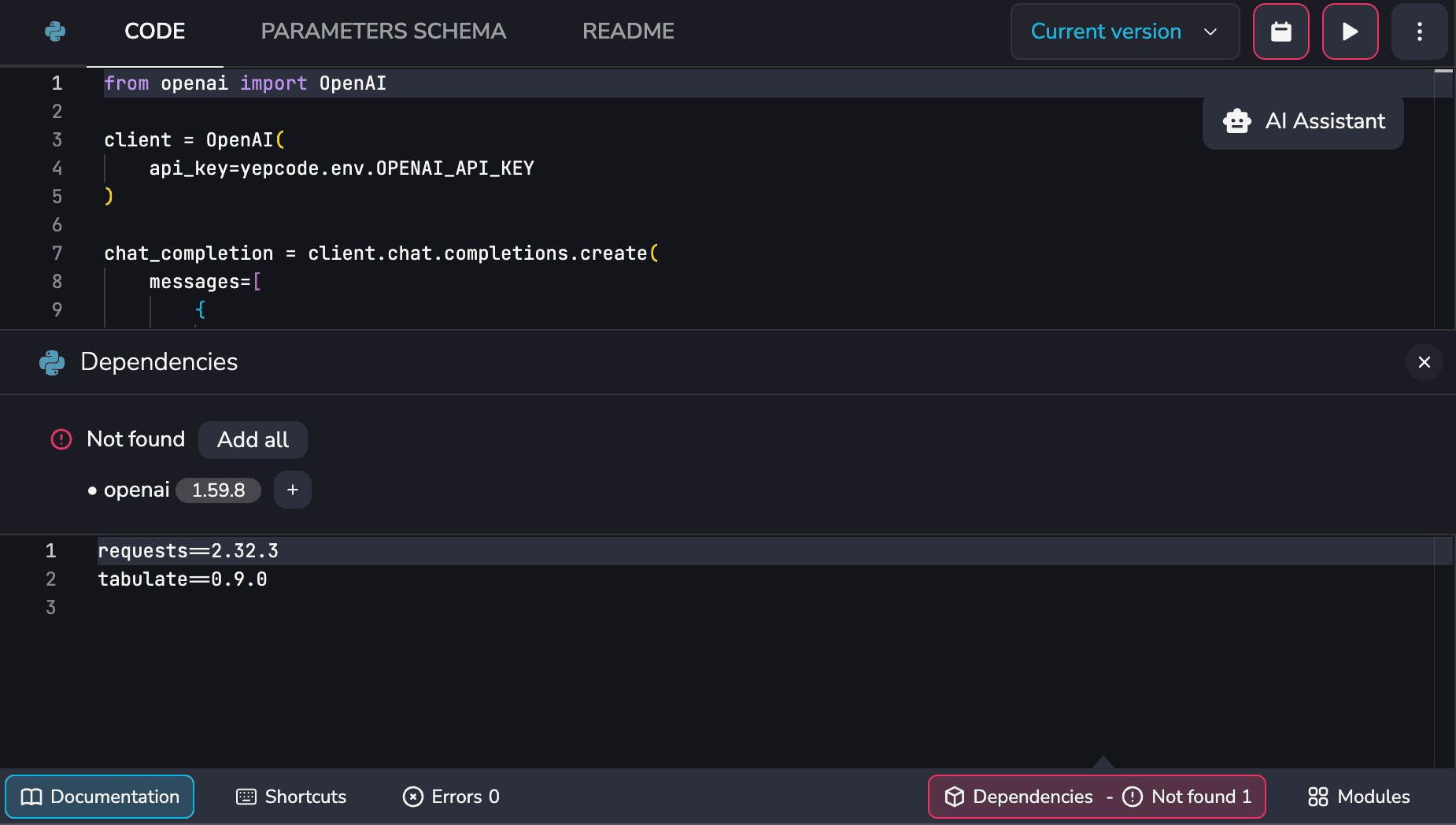
Just clicking the alert will open the dependencies editor where you can add the missing dependencies, and if you use the ‘Add’ button, we’ll use the last available version of the dependency.
Use @add-package comment
Section titled “Use @add-package comment”Sometimes, the dependencies guessing is not enough. You can use the @add-package comment to manually add a dependency to your process. You can even set the version of the dependency with the syntax @add-package <package-name>=<version>.
Some samples about how to use it:
// @add-package openaiconst OpenAI = require('openai');
const client = new OpenAI({  apiKey: fcode.env.OPENAI_API_KEY,});
async function main() {  const chatCompletion = await client.chat.completions.create({    messages: [{ role: 'user', content: 'Say this is a test' }],    model: 'gpt-4o',  });}
main();// @add-package openai=4.79.1const OpenAI = require('openai');
...# @add-package openaifrom openai import OpenAI
client = OpenAI( api_key=fcode.env.OPENAI_API_KEY)
chat_completion = client.chat.completions.create( messages=[ { "role": "user", "content": "Say this is a test", } ], model="gpt-4o",)# @add-package openai=1.59.8from openai import OpenAI
client = OpenAI( api_key=fcode.env.OPENAI_API_KEY)
...